 Custom Fields Toolbox
by Werare · 07 of 20 by installs
Cascading selectsthat validatebefore they save.
Custom Fields Toolbox adds the field types Jira Cloud leaves out: cascading selects with regex validation, read-only and calculated fields, and encrypted fields for data that shouldn't sit in plain text. Built on Forge, all of it runs inside your own Jira site.
Region → Country
Cost code^[A-Z]{2,4}-\d{3,6}$
Matches the pattern. Ready to save.
VALIDBank referenceEncrypted
- Rating
- 5.0 (6 reviews)
- Installs
- 68
- Badge
- Cloud Fortified
- Platform
- Atlassian Forge
- Hosting
- Jira Cloud only
- Price
- Free for 30 days
§1 · What it does
Cascading selects that validate
Chain dependent dropdowns and reject values that don't match a pattern before the issue saves. No post-function cleanup afterwards.
Regex-validated text fields
Constrain any text field to a pattern: ticket IDs, cost codes, semver strings. Invalid input is blocked at edit time.
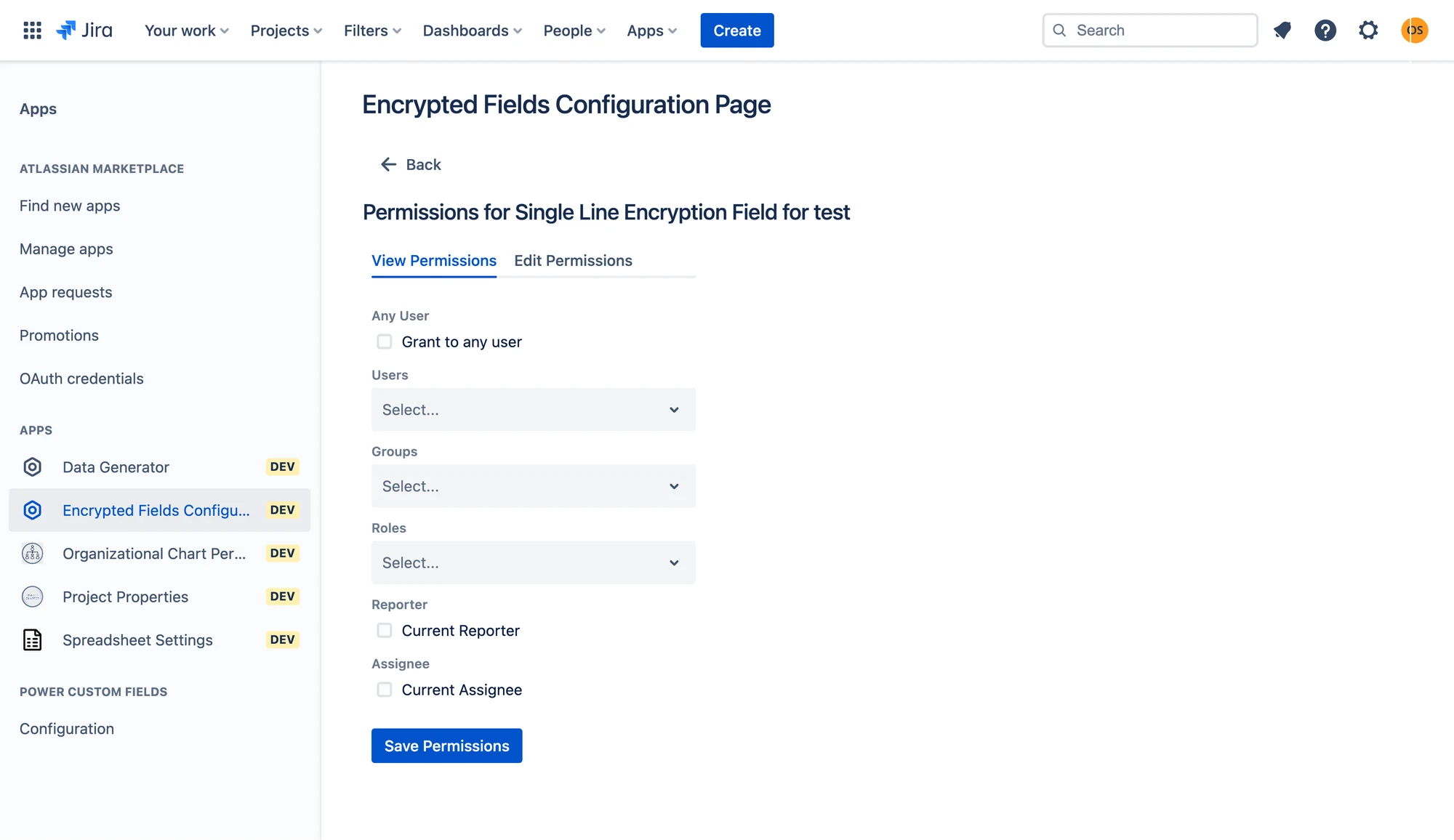
Encrypted custom fields
Store sensitive values encrypted at rest in Forge storage, readable only through the field itself.
Read-only and calculated fields
Surface a value computed from other fields, or data users shouldn't edit, without writing a script.
Time-in-status fields
Expose how long an issue sat in each status as a first-class, JQL-searchable field.
§2 · See it configured
This app is configuration, not a UI to tour. Here is what that configuration looks like.
^[A-Z]{2,4}-\d{3,6}${{issue.story_points}} * {{issue.cost_per_point}}Region → Country → City
where City must match ^[A-Za-z .-]+$§3 · A look inside
§4 · How it works
Atlassian Forge · Cloud Fortified
Custom Fields Toolbox runs on Atlassian Forge and carries Atlassian's Cloud Fortified badge: an independent security review plus a published uptime SLO. Its field configuration and encrypted values live in Forge storage, hosted by Atlassian inside your Jira site.
It does reach a small number of external services (a working-days date API and avatar CDNs), so it isn't in the Runs on Atlassian program. It does not ship your issue content to them.
Read the full security overview →§5 · Permissions and data
The exact OAuth scopes this app’s Forge manifest requests, and where its data goes.
read:jira-workRead issues, projects, boards and field values.write:jira-workCreate or update issues and field values.read:jira-userRead the user directory to resolve names and avatars.read:user:jiraRead user records for lookups and assignment.read:group:jiraRead group membership.read:project:jiraRead project metadata.read:issue:jiraRead individual issues.read:field:jiraRead custom-field definitions.read:comment:jiraRead issue comments.read:audit-log:jiraRead the audit log for reporting.storage:appStore the app's own configuration in Atlassian-hosted Forge storage.…30+ read scopes (full list in manifest)Additional read scopes for reporting; the full list is in the app's Forge manifest.§6 · Compatibility
Hosting
Jira Cloud only
Project types
Company-managed and team-managed
Products
Jira Software, Jira Service Management
Known limits
Calculated fields recompute on issue view
§7 · Pricing and reviews
Pricing
Per-user pricing, billed by Atlassian on your existing invoice. Free for the first 30 days.
Cloud apps are priced on your Jira site's total user tier, not the number of people who use the app.
Live pricing on the Marketplace ↗Reviews
6 reviews on the Marketplace
The Marketplace figure as of July 2026. Nothing rounded, nothing hidden.
Read all reviews ↗§8 · Release log
§9 · Questions
Yes. Regex and cascading rules are enforced at edit time, so an invalid value never reaches the issue in the first place.
Encrypted at rest in Forge storage inside your own site. Nothing is sent to Werare.
Time-in-status is exposed as a searchable field. Calculated fields are read-only and render on the issue view.
§10 · Same shelf


Try it on a real project.
Free for 30 days. Billed by Atlassian after that, on the invoice you already have.
Start the free trial